MicroDuck and Open Duck Mini v2 solve different starting problems. Choose MicroDuck if you want an assembled 25 cm robot with an official software, simulation, and reinforcement-learning path. Choose Open Duck Mini v2 if you want public mechanical resources and are prepared to source, print, assemble, configure, and troubleshoot the robot yourself.
Neither route is universally better. One reduces the work between unboxing and first motion; the other makes the machine itself part of the project.
Key facts at a glance
MicroDuck
- Route: an assembled product from Pollen Robotics
- Size: 25 cm tall and under 800 g in the current official specifications
- Hardware access: the mechanical and electronic design files are not open
- Software access: the SDK, simulation, and reinforcement-learning stack are published under Apache 2.0
- Setup: designed to be playable before you write code
- Offer: the official page lists a $399 introductory pre-order price before tax and shipping; regions, delivery targets, and final specifications can change
Open Duck Mini v2
- Route: a working DIY robotics project rather than a finished product
- Size: about 42 cm tall with its legs extended, according to the project README
- Hardware access: public CAD, BOM, printing, and assembly resources are linked from the project
- Software access: public simulation, training, policies, and Raspberry Pi runtime resources
- Setup: self-sourcing, printing, assembly, operating-system setup, motor offsets, and calibration are builder responsibilities
- Budget: the repository targets a full BOM below $400; that is not a delivered-product price
Information was rechecked against the linked primary sources on September 18, 2026. MechaSeed has not independently tested either robot, and this guide is not affiliated with or endorsed by Pollen Robotics, MicroDuck, or Open Duck Mini.
How this comparison was prepared
This is a source-based builder’s guide published by the MechaSeed editorial team. It compares what the maintainers currently publish: product and press information for MicroDuck, and repository documentation for Open Duck Mini v2. It is not a hands-on review.
That distinction matters because specifications, software, availability, build files, and documentation can change. Statements about what ships with MicroDuck come from Pollen Robotics. Statements about Open Duck Mini v2 come from its maintainers’ repositories and linked build resources. Where the public material is incomplete, this guide says so rather than filling the gap with assumptions.
Hardware and software access
MicroDuck: open software around a defined product
Pollen Robotics describes MicroDuck as an open-source robot, but its official press kit draws a precise boundary: the open-source statement covers the software stack, while the mechanical and electronic design files are not open.
The published software path is substantial. The MicroDuck repository covers the robot software, and the separate MicroDuck RL repository covers reinforcement-learning environments. The official product page says the SDK, simulator, shipped policies, and RL training stack are available under Apache 2.0.
This makes MicroDuck suitable for developers who want to inspect, retrain, or extend software on known hardware. It does not make the body, electronics, or complete hardware design a community fabrication project.

MicroDuck in an official Pollen Robotics press-kit photograph. It is a third-party product, not MechaSeed hardware.
Open Duck Mini v2: the hardware is part of the work
The Open Duck Mini v2 repository links a public Onshape CAD model, BOM, print guide, assembly guide, simulation resources, trained policies, and an embedded runtime. The repository carries an Apache 2.0 license, but builders should still inspect the license and attribution terms of every linked file or external resource before redistributing a modified design.
The project is candid about its maturity. Its README calls the repository a working hub with undocumented scripts, and the assembly guide is marked incomplete. That does not make the project unusable; it tells you what kind of user it expects. You should be ready to read source files, resolve version differences, and contribute your own debugging work.
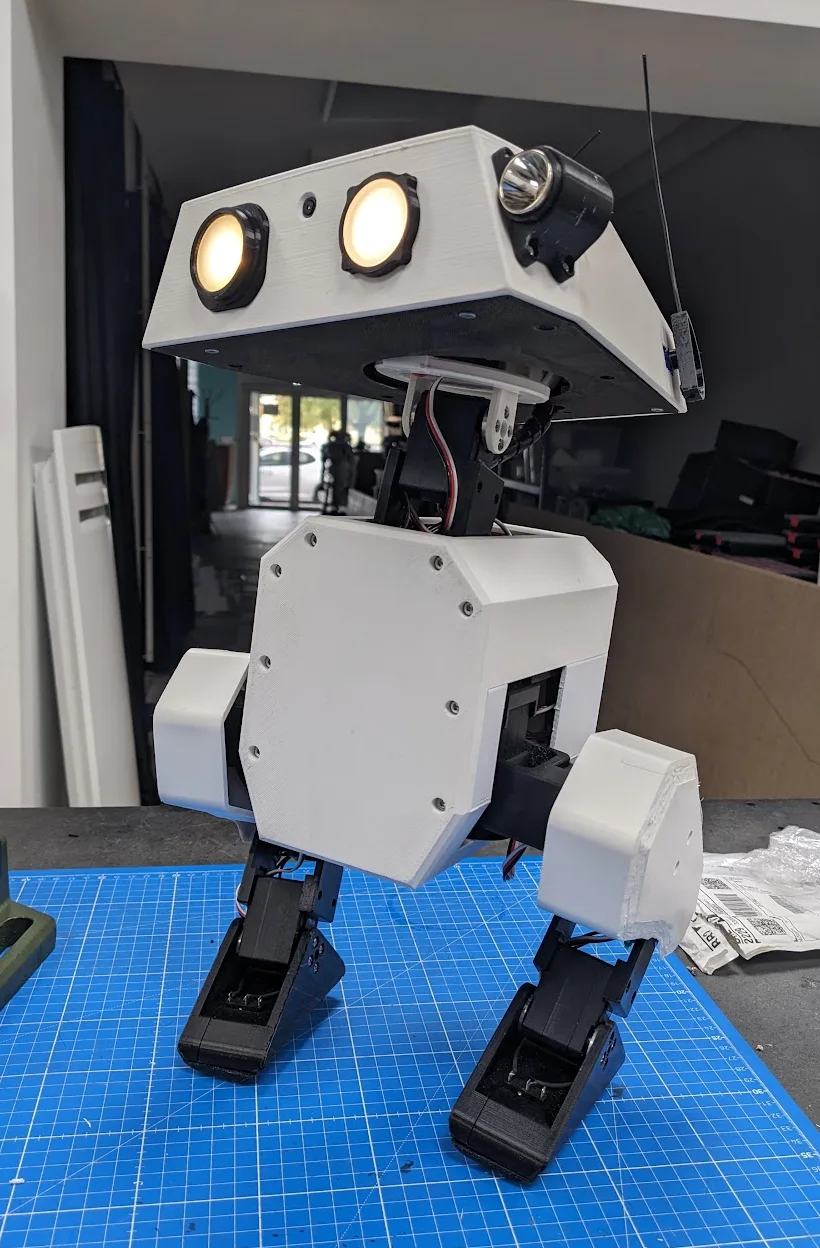
An assembled Open Duck Mini v2 photographed for the project's official README. The printed shells, fasteners, wiring, and joint structure show the DIY build route.
Getting started and assembly effort
MicroDuck shortens the path to first motion
The official MicroDuck page presents one integrated product. The listed box includes the robot, battery, USB-C cable, and game controller. Pollen Robotics says it is playable out of the box and includes trained behaviors before you start retraining policies.
That product route removes several decisions. You do not have to select servos, print the structural parts, establish joint IDs, route every cable, or derive the initial offsets before you can see the robot move. You still need to learn the official development tools, respect the hardware limits, and check current regional availability.
Open Duck Mini v2 begins before the software boots
The DIY route starts with fabrication and sourcing. Builders need the correct revision of the printed parts, motors, control hardware, compute, fasteners, wiring, battery components, and tools. They then assemble the mechanism and verify the electrical and mechanical setup.
The Open Duck Mini Runtime documents a Raspberry Pi Zero 2 W setup, operating-system and Python environment steps, IMU testing, controller configuration, and a process for finding joint offsets. These are not incidental chores. A wrong offset, joint direction, or sensor frame can turn an otherwise valid controller into unsafe motion.
For a classroom or lab, the practical comparison is therefore not “assembled versus open.” It is whether assembly and calibration are part of the learning objective. If the lesson begins with behavior programming, a finished product removes setup time. If the lesson includes mechanisms, wiring, sensing, and system identification, the DIY work may be the point.
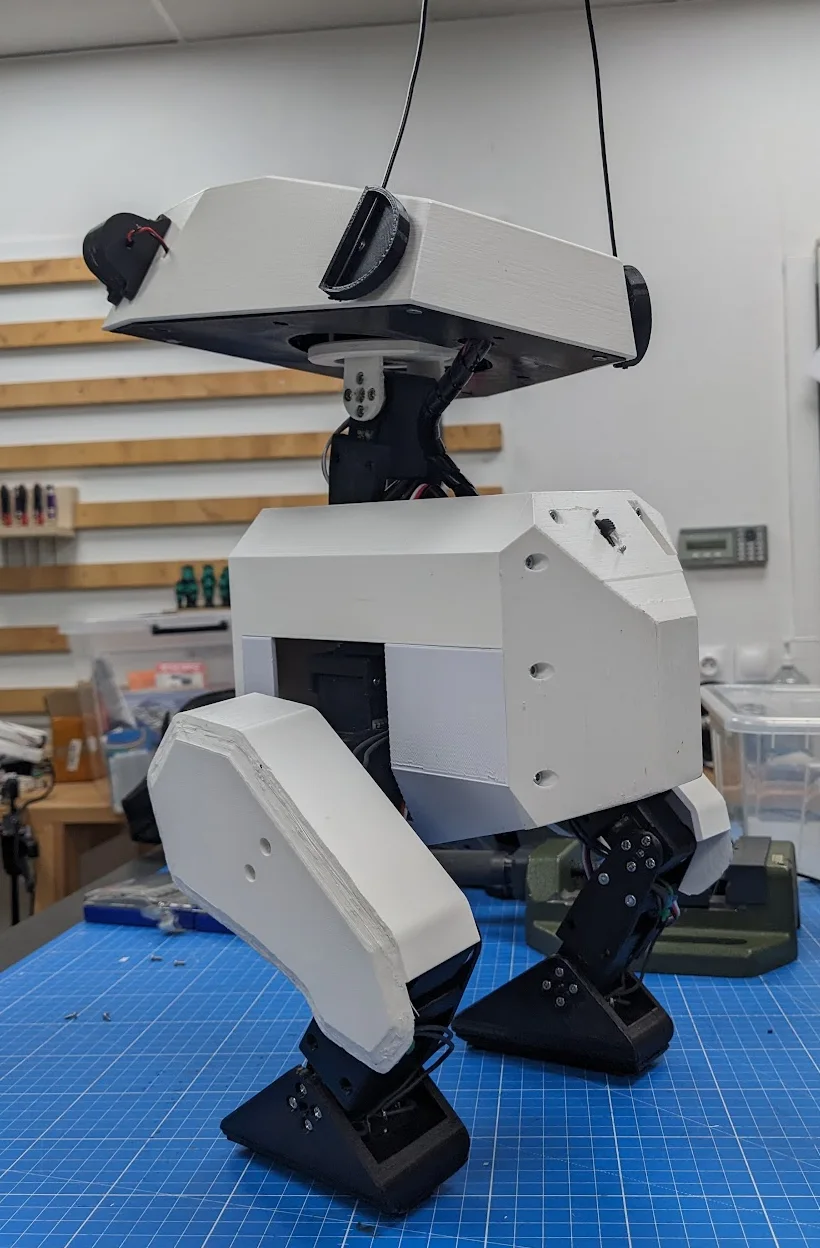
Side view from the official Open Duck Mini v2 README. The workshop setting and exposed construction illustrate the assembly and calibration work behind the robot.
Development and sim-to-real workflows
Both projects connect simulation to physical motion, but they do so around different hardware assumptions.
MicroDuck uses an official hardware-software target
Pollen Robotics says MicroDuck behaviors are trained in simulation, deployed to the robot, measured, and refined. The official platform defines the geometry, sensors, actuators, onboard compute, and runtime that the published policies target. This tighter hardware target is valuable when you want to focus on behavior development rather than re-create the machine.
The current press kit also labels some details provisional, including parts of the camera, radio, and SDK specification. Check the official repositories and product documentation for the version that matches your robot rather than assuming every launch detail is final.
Open Duck Mini v2 exposes more of the transfer problem
Open Duck Mini v2 publishes the model-building and actuator-modeling work behind its sim-to-real route. Its sim-to-real notes explain why link mass, inertia, damping, gain, friction, armature, and force range matter. If simulated motors behave differently from the real servos, a policy can fail or produce chaotic movement.
The project links trained ONNX policies and a runtime script for physical deployment. It also warns that the sim-to-real documentation is not finalized and points builders to a checklist before running a walking policy. This is a good example of the DIY tradeoff: you can inspect and alter more of the chain, but you also own more of the validation.
A policy file is not portable merely because two robots use Python, MuJoCo, or ONNX. Geometry, action ranges, observation order, motor response, control frequency, sensor frames, and normalization must match. Treat every move from simulation to hardware as a new safety and compatibility check.
If you are new to this stack, our small-biped robot guide explains how mechanics, actuators, sensors, compute, power, and control software fit together. The small-biped sim-to-real workflow then covers modeling, actuator identification, runtime parity, and staged hardware tests.
Cost: product price versus build budget
MicroDuck’s official page currently lists an introductory price of $399 before taxes and shipping. That is a product price for a specified box. Open Duck Mini v2’s repository targets a full BOM below $400. That is a parts target for a self-build.
Those numbers should not be compared as if they describe the same transaction. A DIY budget can omit or vary:
- shipping, import charges, tax, and supplier minimums;
- tools, soldering supplies, filament, and failed prints;
- spare motors, cables, fasteners, and replacement parts;
- the time required to source, assemble, calibrate, and debug;
- optional expression hardware or changes made after the published list.
The product route includes the manufacturer’s integration decisions. The DIY route converts some of that cost into builder time and gives the builder more control over the result. Our Open Duck Mini v2 build-cost guide breaks down the difference between a headline BOM and a realistic build budget.
Maintenance and hardware changes
MicroDuck provides a coherent hardware target and an official product ecosystem. Pollen Robotics lists spare-parts and developer packs, but the non-open mechanical and electronic design files limit how far a builder can reproduce or redesign the robot from source. Check the current store and support information for parts, warranty, and regional terms.
Open Duck Mini v2 makes mechanical changes more approachable because the project links CAD and build resources. The cost is that every change can propagate into the controller. Changing a link, servo, foot, sensor mount, or battery location can alter mass, inertia, friction, range, offsets, wiring, or power behavior. You may need to update the model, repeat calibration, and retrain or retune a policy.
Repairability depends on more than access to a CAD file. Before choosing either route, check whether you can obtain the exact replacement part, identify its version, restore its configuration, and verify the robot safely after the repair.
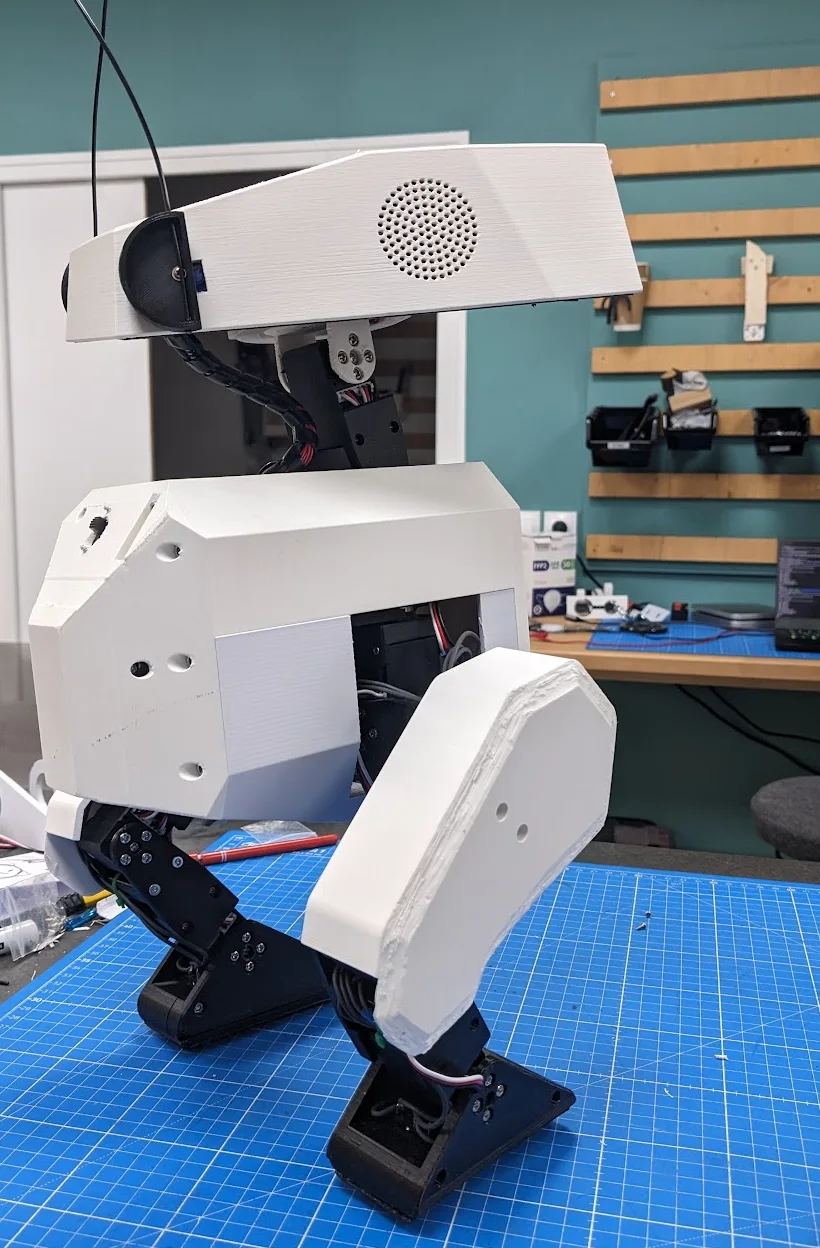
Open Duck Mini v2 on a workbench, from the official project README. Hardware changes can affect mass, wiring, offsets, and controller behavior.
Which path fits your project?
Choose MicroDuck if
- you want an assembled robot and controller;
- your main goal is application, interaction, or behavior development;
- you prefer an official hardware and software target;
- open software matters more than changing the mechanical design;
- the current offer, region, and delivery terms meet your needs.
Choose Open Duck Mini v2 if
- sourcing, printing, wiring, and calibration are part of the project;
- you want to inspect or change the mechanical design;
- you are comfortable working from an evolving repository;
- learning about actuator modeling and sim-to-real integration matters;
- you can budget for tools, failures, spare parts, and build time.
For education
Choose based on where you want the lesson to begin. MicroDuck can begin with behaviors and policy retraining. Open Duck Mini v2 can begin with fabrication and systems integration. For a multi-robot classroom, also compare setup repeatability, repair turnaround, battery handling, and the staff time needed to keep every unit in the same state.
For locomotion research
Look beyond the robot’s appearance. Confirm access to the simulator, actuator model, policy code, logging, calibration procedure, safety checklist, and real-hardware evidence. A platform with more accessible internals can support deeper experiments, but only if the team has time to maintain the full stack.
Where MechaSeed’s Agent Core concept fits
MechaSeed is exploring a narrower third route: a profile-matched hardware and software core for a body that the builder is legally allowed to print. The target is to reduce repeated work around actuators, wiring, control, compute, sensing, configuration, reference calibration, and software integration. The builder would still provide the body files, printed structure, ordinary mechanical parts, and final assembly.
This is a Stage 1 demand-validation concept. No Body Profile, hardware configuration, SDK, price, compatibility, or delivery plan has been validated. Read the MechaSeed DIY core concept for the current boundaries or join the research waitlist if that division of work fits your project.
Frequently asked questions
Is MicroDuck open-source hardware?
No. Pollen Robotics explicitly says the open-source claim applies to the software stack; the mechanical and electronic design files are not open. Use “open-source software” when that distinction matters.
Is Open Duck Mini v2 a ready-to-build kit?
The main project is a DIY repository with linked CAD, BOM, printing, assembly, and runtime resources. Its own README describes it as a working repository and marks the assembly guide incomplete. Third parties may offer kits, but their contents, support, and terms must be evaluated separately.
Can the same trained policy run on both robots?
Do not assume so. A learned policy depends on the robot’s geometry, motors, joint mapping, sensor inputs, timing, observation and action spaces, and runtime. Even when both projects use simulation and reinforcement learning, transfer requires robot-specific validation.
Which option is cheaper?
The public headline numbers are close, but they measure different things: a MicroDuck product price and an Open Duck Mini v2 BOM target. Your real comparison must include tax, shipping, tools, failed prints, spares, assembly time, and the value of official integration or hardware access.
Is MechaSeed affiliated with these projects?
No. MechaSeed is independently developed and is not affiliated with or endorsed by Pollen Robotics, MicroDuck, or Open Duck Mini. Product and project names belong to their respective owners.
Image sources and reuse
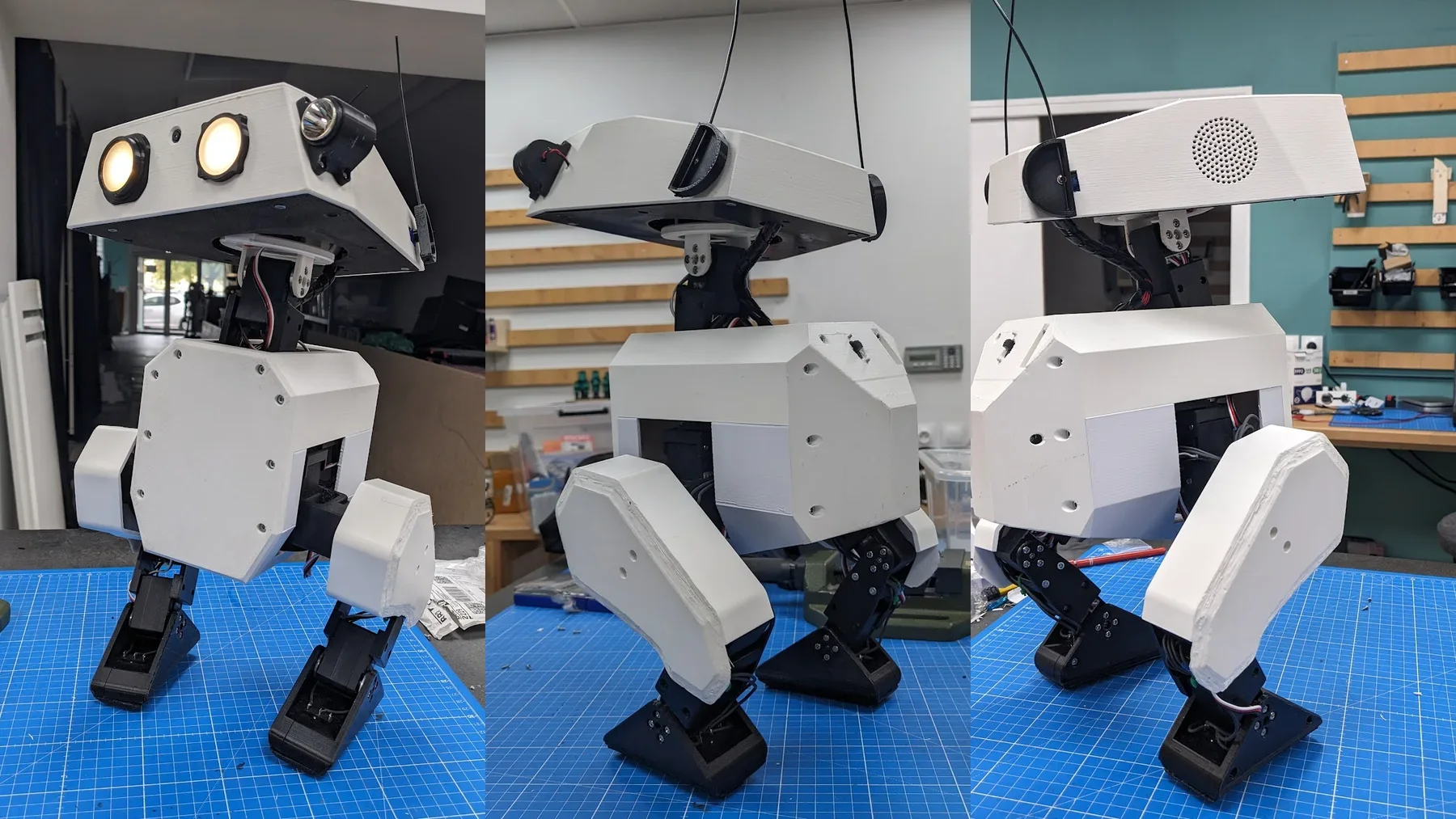
The MicroDuck photograph comes from the official Pollen Robotics press kit and is shown for editorial comparison. The Open Duck Mini v2 photographs come from the project's official README at commit b23317a and are reproduced under the repository's Apache License 2.0. The cover crops and combines three of those README photographs; it does not depict MechaSeed hardware or an independent MechaSeed test.
Last fact-check: September 18, 2026. Prices, availability, specifications, repositories, and documentation can change. Follow the linked primary sources before buying parts, placing an order, or running a policy on hardware.